
SEO for beginners can seem complicated at first, but understanding the basics can make a big difference to your website. SEO (Search Engine Optimization) helps your website appear in search engine results when people search for information, products, or services related to your business.
That’s where SEO (Search Engine Optimisation) comes in.
SEO can help yhttps://developers.google.com/search/docs/fundamentals/seo-starter-guideour website appear in search engine results when people search for information, products, or services related to your business.
The best part? You don’t need to be an SEO expert to start improving your website.
In this beginner-friendly guide, we’ll explain what SEO is, why it matters, and the simple steps you can take to make your website more search-friendly.Social Media Marketing

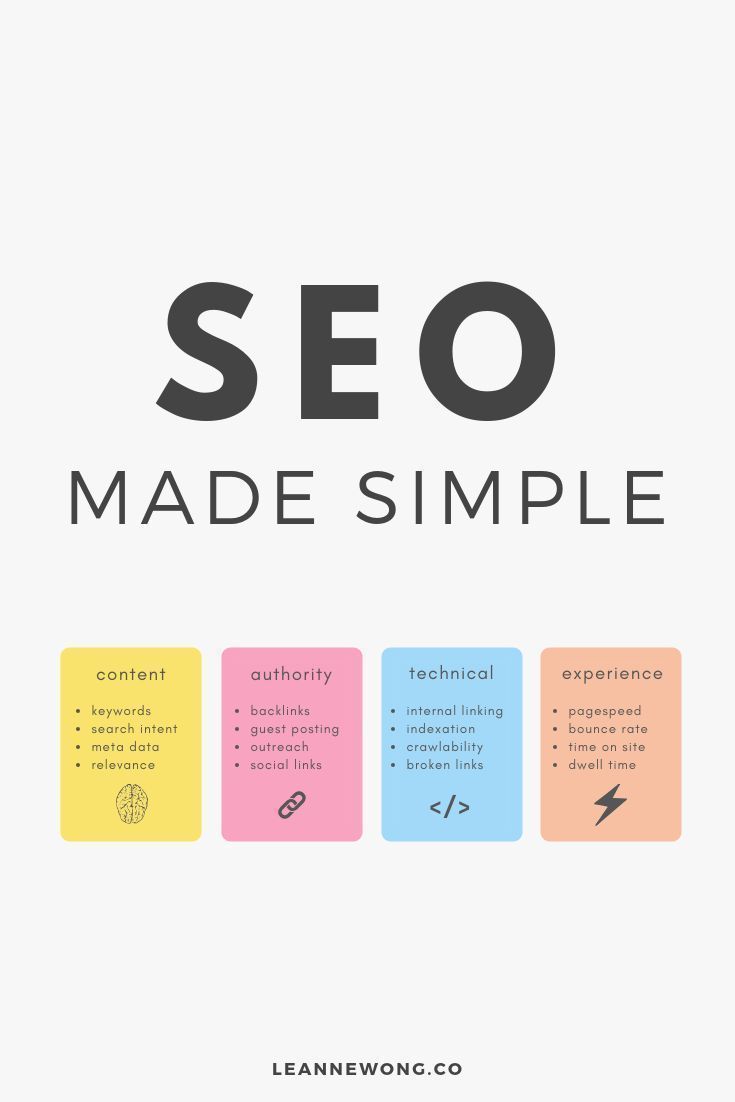
What Is SEO for Beginners?
SEO stands for Search Engine Optimisation.
It is the process of improving your website and its content so that search engines can better understand your pages and users can find them through relevant searches.
For example, imagine you have a website offering social media marketing services.
Someone searches Google for:
“social media marketing for small businesses”
If your website has useful, relevant content about that topic and provides a good experience for visitors, your page may have an opportunity to appear in search results.
SEO is not about simply adding keywords everywhere.
It’s about creating content that genuinely helps people while making it easier for search engines to understand what your website is about.
Why Is SEO Important for beginners ?
Having a beautiful website is great, but people need to be able to find it.
SEO can help you:
- Increase organic website traffic
- Reach people actively searching for information
- Build online visibility
- Establish credibility
- Attract potential customers
- Create long-term content opportunities
- Reduce reliance on paid advertising
Unlike an advertisement that stops generating traffic when you stop paying for it, useful SEO content can continue attracting visitors over time.
However, SEO is a long-term strategy. Results can take time, and there is no guaranteed position in Google’s search results.
1. SEO For Beginners : Essential tips
Keywords are the words and phrases people type into search engines.
For example, if you run a digital marketing website, potential keywords could include:
- Digital marketing tips
- SEO for beginners
- Social media marketing
- Content marketing strategies
- How to improve website SEO
- Digital marketing tools
Instead of guessing what people are searching for, research relevant search terms before creating content.
Look for keywords that are closely related to your topic and match the search intent of your target audience.
SEO For Beginners : Understand Search Intent
Search intent means understanding why someone is searching for something.
For example:
“What is SEO?”
The person probably wants to learn.
“Best SEO tools for beginners”
The person is researching available tools.
“SEO consultant near me”
The person may be looking for a service.
Understanding intent helps you create content that answers the actual question behind the search.
2. Create Helpful, Original Content
One of the most important parts of SEO is content.
Instead of creating articles simply because you want to rank for a keyword, create content that answers real questions and solves real problems.
For example, instead of writing a generic article titled:
“SEO Tips”
you could create:
“10 Simple SEO Tips for Small Businesses”
Then provide useful explanations, examples, and practical steps.
Good content should be:
- Useful
- Easy to understand
- Relevant to your audience
- Well organised
- Original
- Accurate
- Written primarily for people
Your goal should be to make the reader think:
“This actually helped me.”
3. Optimise Your Page Title
Your page title tells users and search engines what your page is about.
For example:
SEO for Beginners: A Simple Guide to Getting Your Website Found on Google
is much more descriptive than:
SEO Guide
Try to make your title clear, specific, and relevant to the content on the page.
Avoid stuffing multiple keywords into your title just for the sake of SEO.
4. Write a Useful Meta Description
A meta description is a short description that can appear underneath a page’s title in search results.
For example:
Learn what SEO is, why it matters, and how beginners can improve their website’s visibility with simple SEO strategies.
A good description should clearly communicate what the reader can expect from the page.
Keep it natural and focused on encouraging the right person to click.
5. Use Headings to Organise Your Content
Large blocks of text can be difficult to read.
Use headings and subheadings to divide your article into logical sections.
For example:
H1: SEO for Beginners: A Simple Guide
H2: What Is SEO?
H2: Why Is SEO Important?
H2: How to Improve Your Website SEO
H3: Start With Keyword Research
H3: Improve Your Page Titles
This structure helps readers scan your article and makes the content easier to understand.
6. Optimise Your Images
Images can make your blog posts more engaging, but they can also affect website performance if they’re unnecessarily large.
Before uploading an image:
- Use an appropriate file format
- Compress large image files
- Give the image a descriptive filename
- Add meaningful alt text where appropriate
For example, instead of naming an image:
IMG12345.jpg
you could use something descriptive such as:
seo-for-beginners-guide.jpg
For accessibility and context, write alt text that accurately describes the image rather than filling it with keywords.
7. Make Your Website Easy to Use
SEO isn’t only about keywords.
Your website should also provide a good experience for visitors.
Make sure your website:
- Works well on mobile devices
- Loads efficiently
- Has clear navigation
- Uses readable text
- Has working links
- Makes important information easy to find
Imagine visiting a website and struggling to find the menu, read the text, or understand what the business does.
Even if the website contains excellent content, the experience can be frustrating.
8. Add Internal Links
Internal links connect one page on your website to another page on the same website.
For example, if you have an article about SEO and another article about social media marketing, you can link between them when the connection is genuinely useful to the reader.
Internal linking can help visitors discover more of your content and can help search engines understand the relationship between pages on your website.
For Elevate Digitally, you could create a content network around topics such as:
- SEO
- Social media marketing
- Content marketing
- Email marketing
- Digital marketing tools
- Personal branding
- AI tools for marketers
9. Build Trust With Useful Resources
People are more likely to trust a website when it consistently provides useful information.
You can build credibility by:
- Explaining topics clearly
- Providing examples
- Keeping important information accurate
- Updating older content when necessary
- Linking to trustworthy sources when appropriate
- Being transparent about your expertise and experience
Don’t create content purely to attract search traffic.
Create content that you would genuinely recommend to someone who asked you the same question.
10. Track Your SEO Progress
SEO becomes much easier when you measure what is happening.
You can monitor things such as:
- Organic traffic
- Search queries
- Impressions
- Clicks
- Click-through rate
- Pages receiving organic traffic
- Website conversions
Don’t worry if your website doesn’t receive huge amounts of traffic immediately.
SEO often requires patience.
Look for gradual improvements and use your data to understand what your audience is interested in.
Common SEO Mistakes Beginners Should Avoid
Keyword Stuffing
Repeating the same keyword excessively can make your writing unnatural.
Write naturally and focus on answering the reader’s question.
Copying Content
Don’t simply copy articles from other websites.
Create your own useful perspective, explanations, examples, or research.
Writing Only for Search Engines
Your readers should always come first.
If an article is difficult or unpleasant to read, ranking alone won’t create a good user experience.
Ignoring Mobile Users
A large amount of web browsing happens on mobile devices, so make sure your website works properly on smaller screens.
Expecting Instant Results
SEO is not usually an overnight strategy.
Your website may need time to build visibility, authority, and a consistent library of useful content.
A Simple SEO Checklist for beginners
Before publishing your next blog post, ask yourself:
☐ Does this article answer a real question?
☐ Is the topic relevant to my audience?
☐ Did I choose a clear primary keyword?
☐ Does the title accurately describe the article?
☐ Are my headings organised?
☐ Is the content easy to read?
☐ Did I add relevant internal links?
☐ Are my images optimised?
☐ Does the page work well on mobile?
☐ Would I find this article genuinely useful if I were searching for the topic?
If you can answer yes to most of these questions, you’re building a stronger foundation for SEO.
Final Thoughts on SEO For beginners
SEO doesn’t have to be complicated.
Start with the basics: understand what your audience searches for, create genuinely useful content, organise your pages clearly, optimise your website experience, and keep improving based on what you learn.
Don’t focus only on getting your website to the top of Google.
Focus on becoming the website that deserves to be found.
At Elevate Digitally, our goal is to make digital marketing easier to understand so you can learn, grow, and build your online presence with confidence.
Keep learning. Keep creating. Keep improving.
Your next visitor could be searching for exactly what you have to offer.
SEO Details
Primary Keyword: SEO for beginners
Secondary Keywords:
- SEO tips for beginners
- how SEO works
- website SEO
- search engine optimisation
- beginner SEO guide
- how to improve website SEO
SEO Title: SEO for Beginners: A Simple Guide to Getting Found on Google
Meta Description: Learn SEO for beginners with simple strategies for keywords, content, page optimisation, images, internal links, and improving your website’s visibility.
Suggested URL Slug: seo-for-beginners
Category: SEO / Digital Marketing
Suggested Tags: SEO, Digital Marketing, SEO Tips, Website Growth, Content Marketing, Beginners
Featured Image Alt Text: SEO for beginners guide showing digital marketing and website optimisation concepts